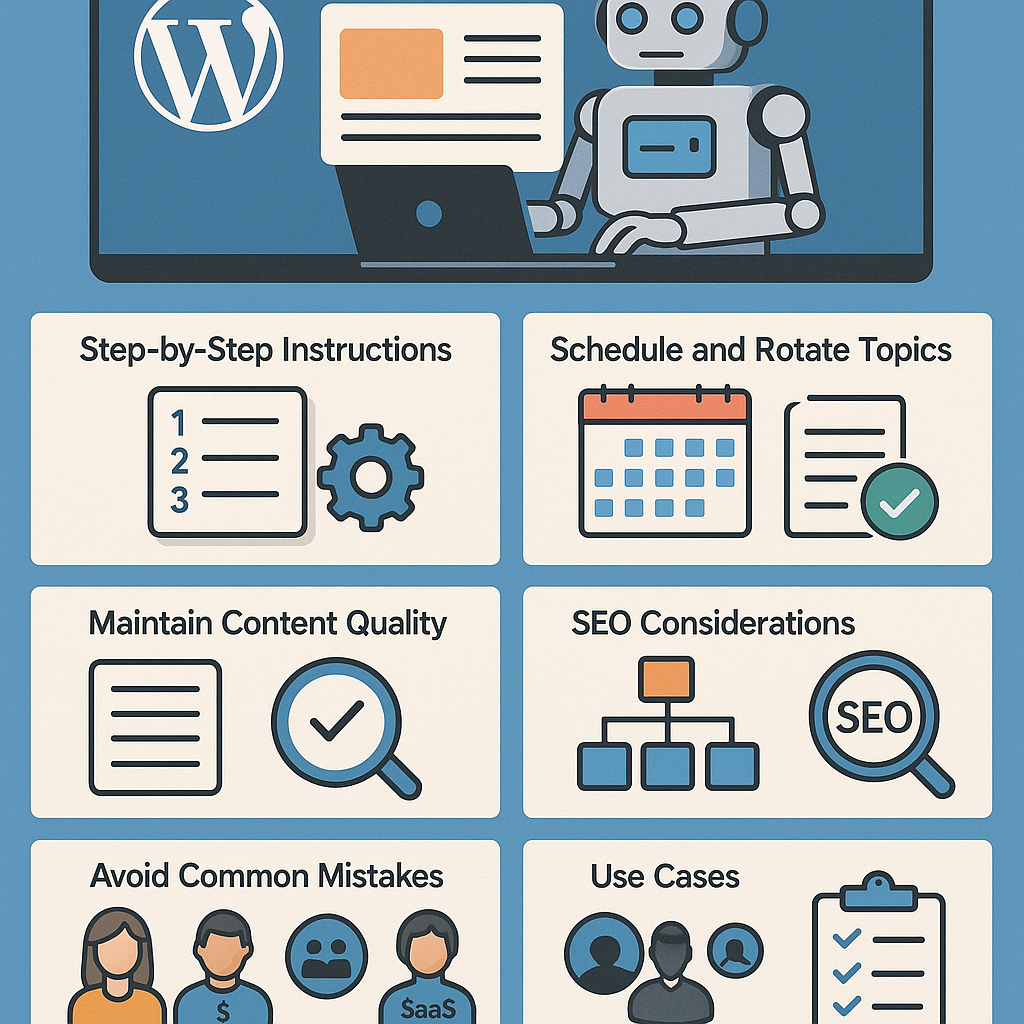
Understanding AI Content Automation in WordPress
Artificial intelligence has transformed content creation from a manual, time-intensive task into a streamlined, strategic process. Within WordPress, AI-powered automation integrates content generation, scheduling, and optimization directly into your publishing workflow. Unlike quick fixes or shortcuts, this approach uses intelligent tools to produce relevant, high-quality content efficiently, enabling site owners to scale their editorial output without compromising quality.
How AI Automation Works Inside WordPress
Most AI content automation in WordPress operates through plugins or API integrations that utilize natural language processing models. These tools generate initial drafts, suggest headlines, or even create full posts based on predefined topics or keywords. Combined with scheduling features, they allow you to queue content for automatic publishing, freeing up editorial resources for strategic tasks like editing and promotion.
Step-by-Step Setup for Automated Publishing Workflows
- Choose the Right AI Plugin: Select a WordPress plugin such as AI Content Generator, WordLift, or Jetpack AI Assistant that supports your needs.
- Configure Topic Inputs: Define keywords, themes, or seed phrases that align with your content strategy.
- Set Quality Parameters: Adjust settings for length, tone, and complexity to ensure the output matches your brand voice.
- Enable Draft Review: Configure the plugin to save AI-generated content as drafts for human review to maintain quality control.
- Automate Scheduling: Use WordPress’s built-in scheduling or third-party tools like WP Scheduled Posts to queue content publication dates.
- Test and Iterate: Publish a few posts on a trial basis, monitor performance, and refine AI prompts and settings accordingly.
Scheduling and Rotating Topics Strategically
To prevent content fatigue and maintain audience interest, rotate your topics systematically. Create a topic calendar that segments your core themes and subtopics. For example, if you run a fitness blog, cycle through nutrition, workouts, mental health, and gear reviews. Use AI to generate varied angles within each category, then schedule posts to publish consistently using the WordPress queue.
Implement topic clusters by linking related posts, which improves SEO and user engagement. This approach also guides AI tools to maintain thematic coherence while diversifying content.
Maintaining Content Quality and Avoiding Spammy Output
AI-generated content can sometimes produce repetitive or vague text. To uphold quality:
- Human Review: Always review and edit AI drafts before publishing to ensure accuracy, clarity, and relevance.
- Customize Prompts: Provide detailed, context-rich instructions to the AI to reduce generic outputs.
- Use Plagiarism Checkers: Verify content originality with tools like Copyscape or Grammarly’s plagiarism checker.
- Limit Automation Scope: Use AI for ideation, outlines, or first drafts but retain human creativity for nuanced writing.
SEO Considerations When Automating Content
Automation does not replace SEO strategy; it amplifies it when used correctly. Key SEO practices include:
- Keyword Integration: Ensure AI outputs naturally incorporate target keywords without stuffing.
- Meta Data Automation: Use AI tools that generate meta titles and descriptions optimized for search engines.
- Structured Data: Implement schema markup to improve rich snippet eligibility.
- Content Freshness: Schedule updates and re-optimization of automated posts to maintain ranking.
Internal Linking and Content Clustering Strategies
Internal linking strengthens your site’s authority and user navigation. When automating:
- Plan Clusters: Group posts around central pillar content.
- Automate Link Suggestions: Use plugins like Link Whisper that suggest and insert internal links into AI-generated posts.
- Consistent Anchor Text: Maintain relevant and descriptive anchor text to enhance keyword relevance.
Common Mistakes and How to Avoid Penalties
- Overreliance on AI: Avoid publishing AI content without human oversight to prevent low-quality posts.
- Ignoring Google Guidelines: Follow Google’s quality standards to prevent ranking penalties.
- Duplicate Content: Regularly audit your site to detect and remove duplicate or thin content.
- Neglecting User Experience: Ensure automated posts provide real value, not just keyword-stuffed filler.
Practical Use Cases for Different Audiences
Bloggers
Automate routine content like news roundups or how-to guides to focus more on storytelling and personal insights.
Affiliate Marketers
Generate product descriptions, comparison tables, and reviews at scale while maintaining editorial consistency.
Digital Agencies
Use AI automation to rapidly produce client drafts and proposals, enabling faster turnaround and scalable content packages.
SaaS Websites
Automate knowledge base articles, feature updates, and FAQs to keep users informed and reduce support tickets.
Implementation Checklist for AI Content Automation
- Identify clear content goals and target audience needs.
- Choose an AI plugin with robust customization and integration capabilities.
- Develop a topic calendar with diversified themes and clusters.
- Configure AI prompts with precise, context-rich instructions.
- Set up draft review workflows with editorial oversight.
- Schedule posts strategically to maintain a consistent publishing rhythm.
- Incorporate SEO best practices: keywords, meta data, schema, and internal linking.
- Regularly audit content quality and update automated posts as needed.
- Monitor site analytics and search rankings to measure automation impact.
- Continuously refine AI settings based on performance and feedback.
By treating AI-powered content automation as a strategic growth tool and embedding it within a quality-driven editorial process, WordPress site owners can scale content creation effectively while preserving brand integrity and SEO strength.
![Understanding AI Website Builders: How They Work and Who Should Use Them [2026-05-29 11:58:17 1bv161]](https://getwpai.com/wp-content/uploads/2026/05/getwpai-20260529-115817.png)
![Mastering AI-Powered Content Automation in WordPress: A Strategic Guide for Scalable Growth [2026-05-25 11:43:01 rdw72k]](https://getwpai.com/wp-content/uploads/2026/05/getwpai-20260525-114301.png)