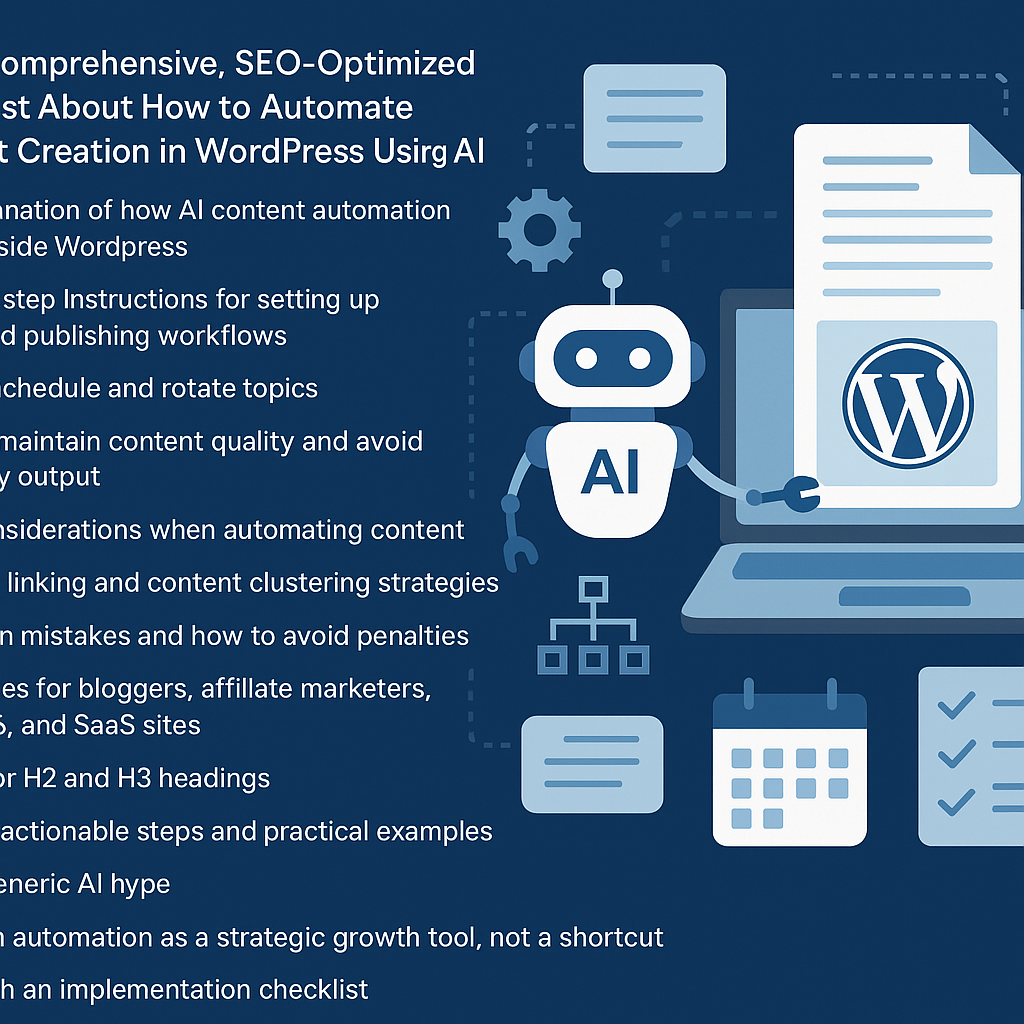
Understanding AI Content Automation Within WordPress
Automating content creation in WordPress using AI involves integrating intelligent tools that can generate, optimize, and schedule content with minimal manual intervention. These AI systems analyze your niche, keywords, and content patterns to produce drafts or fully formed posts that align with your editorial goals. Unlike generic text generators, effective AI automation in WordPress is configured to complement your strategy, enhancing productivity while maintaining editorial integrity.
Setting Up Automated Publishing Workflows: A Step-by-Step Guide
1. Choose the Right AI Content Plugin or API
Select a WordPress-compatible AI plugin (e.g., Jasper, Writesonic, or custom GPT integrations) that supports your content type and volume needs. Ensure it offers SEO features and editorial controls.
2. Connect and Authenticate Your AI Tool
Install the plugin and connect it with your API key. Follow the setup wizard to authenticate and configure basic preferences such as language, tone, and target audience.
3. Define Content Templates and Parameters
Create reusable templates within the AI tool specifying headings, keywords, word count, and style guides. This ensures consistency and helps the AI generate relevant content aligned with your brand voice.
4. Integrate with WordPress Editorial Calendar
Link the AI tool with your editorial calendar plugin (e.g., Edit Flow or CoSchedule) to visualize and manage content scheduling seamlessly.
5. Automate Draft Generation and Review Process
Set the AI to automatically generate drafts on scheduled dates or trigger events. Ensure drafts are routed to editors or yourself for review before publishing to maintain quality.
Scheduling and Rotating Content Topics Effectively
Develop a content rotation system by categorizing your topics into clusters or themes. Use a spreadsheet or content calendar to map out repetition frequency, ensuring no topic saturates your site too quickly. Automate topic assignment by tagging your AI content requests with these categories so the system cycles through them methodically. For example, a health blog might rotate between nutrition, exercise, mental health, and supplements every week.
Maintaining High Content Quality and Avoiding Spammy Output
Despite automation, human oversight is critical. Always:
- Review AI-generated drafts: Edit for clarity, accuracy, and brand tone.
- Use plagiarism checkers: Ensure originality to avoid duplicate content penalties.
- Incorporate authoritative sources: Add citations or links where necessary.
- Limit automation scope: Avoid over-reliance on AI for complex or sensitive topics.
Regularly update your AI tools and training data to reflect current trends and information.
SEO Considerations for Automated Content
Automation should enhance, not harm, your SEO. Key strategies include:
- Keyword Integration: Program AI to naturally weave target keywords without stuffing.
- Meta Information: Automate generation of meta titles and descriptions optimized for click-through rates.
- Structured Data: Use plugins to add schema markup to AI content, improving search engine understanding.
- Content Depth: Ensure AI content meets or exceeds competitor depth and value.
Internal Linking and Content Clustering Strategies
Build topical authority by linking AI-generated posts within clusters:
- Cluster Creation: Group related articles into categories or tags.
- Automated Internal Links: Use plugins like Link Whisper to suggest or add contextual links between AI posts.
- Hub Pages: Create cornerstone content pages that aggregate and link out to AI-generated cluster posts.
This improves user navigation and boosts SEO signals for relevance and authority.
Common Mistakes and How to Avoid Penalties
Avoid these pitfalls:
- Publishing without review: This can lead to factual errors and poor language, harming user trust.
- Overusing AI-generated content: Sites with predominantly automated low-value content risk Google penalties.
- Ignoring SEO best practices: Automated content still needs optimization and strategic planning.
- Duplicating content: Verify AI outputs are unique and not recycled.
Mitigate risks by blending AI with human editorial control and continuous performance monitoring.
Use Cases: Tailoring Automation to Your Business Model
Bloggers
Automate routine posts like news roundups or listicles to free time for in-depth articles.
Affiliate Marketers
Generate product reviews and comparison guides at scale, rotating keywords and categories for broad coverage.
Digital Agencies
Offer clients scalable content packages by integrating AI workflows with client editorial calendars and approval systems.
SaaS Websites
Create consistent educational and update content, ensuring technical accuracy through expert review.
Implementation Checklist: Launching AI Content Automation in WordPress
- Select an AI content plugin or API aligned with your needs.
- Configure API keys and authentication securely.
- Develop detailed content templates and topic clusters.
- Set up an editorial calendar and schedule automated draft generation.
- Establish a robust review and editing workflow.
- Integrate SEO tools and internal linking plugins.
- Monitor content performance and update AI training data regularly.
- Maintain a balanced content mix to avoid penalties.
Strategic AI-driven automation is not a shortcut but a powerful lever for sustainable content growth. With thoughtful setup and ongoing oversight, WordPress site owners can scale efficiently while preserving quality and SEO integrity.
![Understanding AI Website Builders: How They Work and Who Should Use Them [2026-05-29 11:58:17 1bv161]](https://getwpai.com/wp-content/uploads/2026/05/getwpai-20260529-115817.png)
![Mastering AI-Powered Content Automation in WordPress: A Strategic Guide for Scalable Growth [2026-05-25 11:43:01 rdw72k]](https://getwpai.com/wp-content/uploads/2026/05/getwpai-20260525-114301.png)