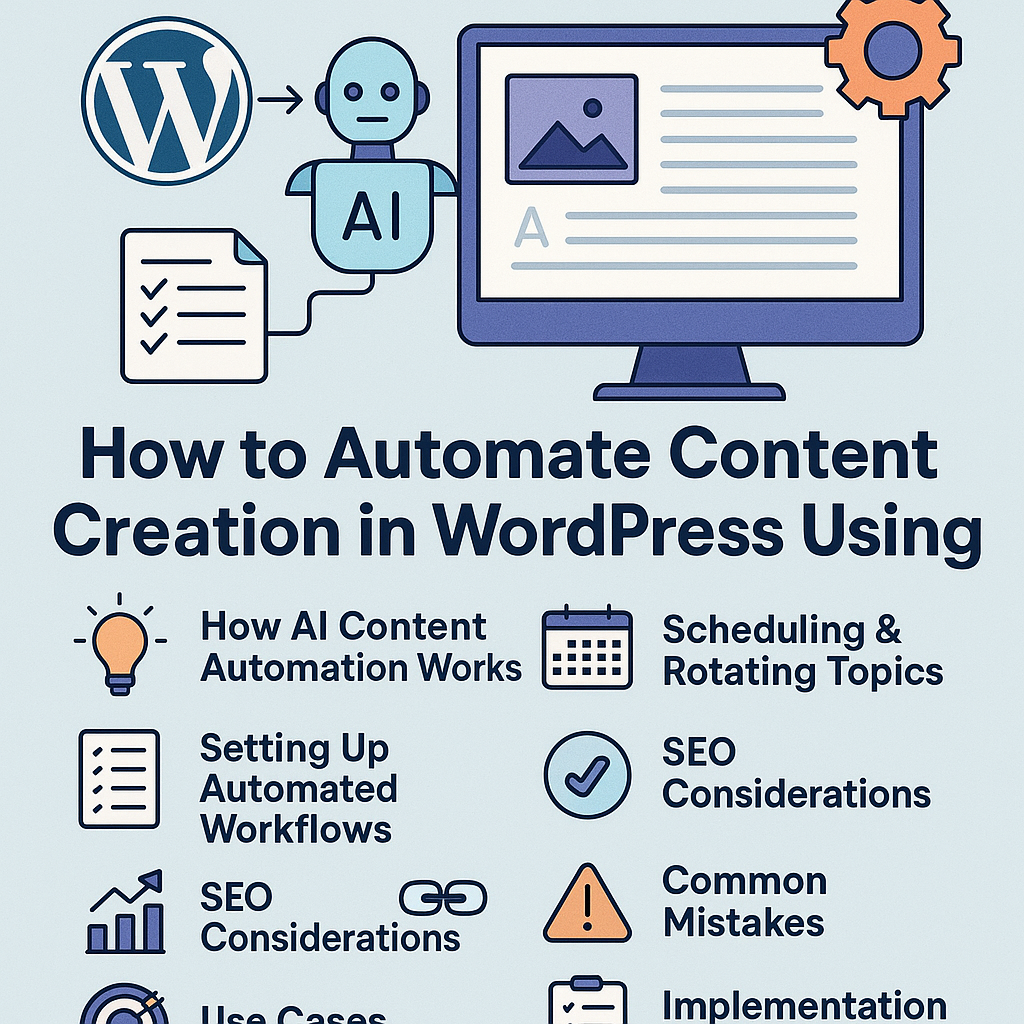
Understanding AI Content Automation in WordPress
AI content automation integrates intelligent algorithms directly into your WordPress workflow, enabling the generation, editing, and publishing of content with minimal manual input. Rather than replacing human creativity, it acts as a productivity enhancer by automating routine tasks such as drafting outlines, generating topic ideas, or producing first-content drafts ready for refinement.
Inside WordPress, AI tools typically connect via plugins or APIs, using natural language processing (NLP) to analyze input prompts and create contextually relevant content. These tools can be trained or configured to match your brand voice and SEO guidelines, ensuring each post aligns with your strategic goals.
Step-by-Step Guide to Setting Up Automated Publishing Workflows
1. Choose the Right AI Content Plugin
Start with a reliable AI content plugin that supports integration with WordPress’s editor and scheduling features. Popular options include AI writing assistants that provide API connectivity and customizable templates.
2. Define Content Parameters
Establish clear input parameters for your AI system — target keywords, tone, length, and format (e.g., blog post, product description). This helps the AI produce content that matches your requirements and reduces manual editing time.
3. Create Content Templates and Prompts
Develop reusable templates and prompts tailored to your niche. For example, a tech blogger might have templates for “Product Reviews” or “How-To Guides.” These templates guide the AI on structure and style.
4. Automate Draft Generation
Configure the plugin to generate drafts automatically based on your templates and scheduling preferences. You can use cron jobs or WordPress’s built-in scheduler to trigger content creation at set intervals.
5. Set Review and Editing Workflows
Automated content should pass through a human review stage to ensure quality, accuracy, and alignment with your brand voice. Use WordPress’s editorial workflow plugins to manage this step efficiently.
6. Publish or Queue Content
After review, content can be published immediately or queued for later posting using WordPress’s scheduling tools, maintaining a consistent publishing cadence.
Scheduling and Rotating Content Topics Strategically
Effective topic scheduling ensures variety and relevance over time, preventing content fatigue and keyword cannibalization.
Build a Topic Calendar
Map out topics based on keyword research, seasonal trends, and audience interests. Use spreadsheet tools or editorial calendar plugins to visualize and manage this schedule.
Automate Topic Rotation
Integrate topic rotation logic into your AI prompts. For instance, alternate between how-to articles, listicles, and case studies on a weekly basis. This approach keeps content fresh and engaging.
Leverage Content Pillars and Clusters
Organize content around pillar pages and supporting clusters to enhance topical authority. AI can assist by generating cluster articles linked back to the pillar content, improving internal linking and SEO.
Maintaining Content Quality and Avoiding Spammy Output
Automated systems risk producing generic or low-value content if left unchecked. Safeguard your site’s reputation by implementing these practices:
- Human Oversight: Always review AI-generated drafts for factual accuracy, tone, and originality.
- Customize AI Prompts: Use detailed, niche-specific prompts to guide the AI away from generic responses.
- Plagiarism Checks: Run generated content through plagiarism detection tools before publishing.
- Limit Automation Scope: Use AI for ideation and first drafts but rely on human expertise for nuanced content.
SEO Considerations When Automating Content
Automation can accelerate content volume, but SEO quality must remain paramount to avoid penalties and maintain rankings.
Keyword Integration
Ensure your AI tool incorporates primary and secondary keywords naturally. Avoid keyword stuffing by monitoring keyword density and semantic relevance.
Meta Data and Schema Markup
Automate the generation of SEO meta titles, descriptions, and structured data where possible, but review for clarity and brand consistency.
Content Uniqueness
Focus on creating unique angles or combining AI-generated insights with proprietary knowledge. This differentiation improves search engine trust and user engagement.
Performance Monitoring
Track rankings, bounce rates, and engagement metrics to refine AI-generated content strategies continuously.
Internal Linking and Content Clustering Strategies
Internal linking helps distribute page authority and signals content relationships to search engines.
Automate Link Suggestions
Use plugins that recommend contextual internal links as you create content, ensuring relevant connection points.
Develop Pillar and Cluster Models
Create comprehensive pillar pages targeting broad keywords and cluster content addressing subtopics. AI can assist in generating cluster content linked back to pillars.
Regularly Audit Links
Automated workflows should include periodic audits to identify broken links or outdated references, maintaining a healthy link profile.
Common Pitfalls and How to Avoid Penalties
- Over-Reliance on Automation: Avoid publishing AI content without human editing, which can lead to low-quality posts and ranking drops.
- Duplicate Content: Ensure all AI-generated content is unique and not recycled from other sources.
- Ignoring User Intent: Tailor content to address user needs, not just search engine algorithms.
- Neglecting Updates: Regularly update automated content to maintain relevance and accuracy.
Use Cases Across Industries
Bloggers
Automate research summaries, draft blog posts, and generate social media snippets to maintain consistent publishing schedules without burnout.
Affiliate Marketers
Use AI to generate product reviews, comparison articles, and buying guides quickly while embedding affiliate links strategically.
Digital Agencies
Streamline content production for multiple clients, enabling faster turnaround times and consistent quality across diverse niches.
SaaS Companies
Automate documentation, update release notes, and create FAQ content that scales with your product development cycle.
Implementation Checklist for AI Content Automation in WordPress
- ✅ Select an AI content generation plugin compatible with your WordPress setup.
- ✅ Define content goals, target audience, and SEO parameters.
- ✅ Develop detailed AI prompts and templates for various content types.
- ✅ Set up automated workflows for draft creation and scheduling.
- ✅ Establish human review processes to maintain quality and originality.
- ✅ Implement topic rotation and content clustering strategies.
- ✅ Optimize metadata and internal linking within automated content.
- ✅ Regularly audit published content and refine automation rules.
- ✅ Monitor SEO metrics and adjust your strategy accordingly.
- ✅ Educate your team on balancing AI automation with strategic content planning.
By thoughtfully integrating AI-powered automation into your WordPress content strategy, you empower your site to scale efficiently without sacrificing quality or SEO integrity. Treat automation as a strategic partner in growth, not a shortcut, to unlock sustainable success.