Understanding AI Content Automation Within WordPress
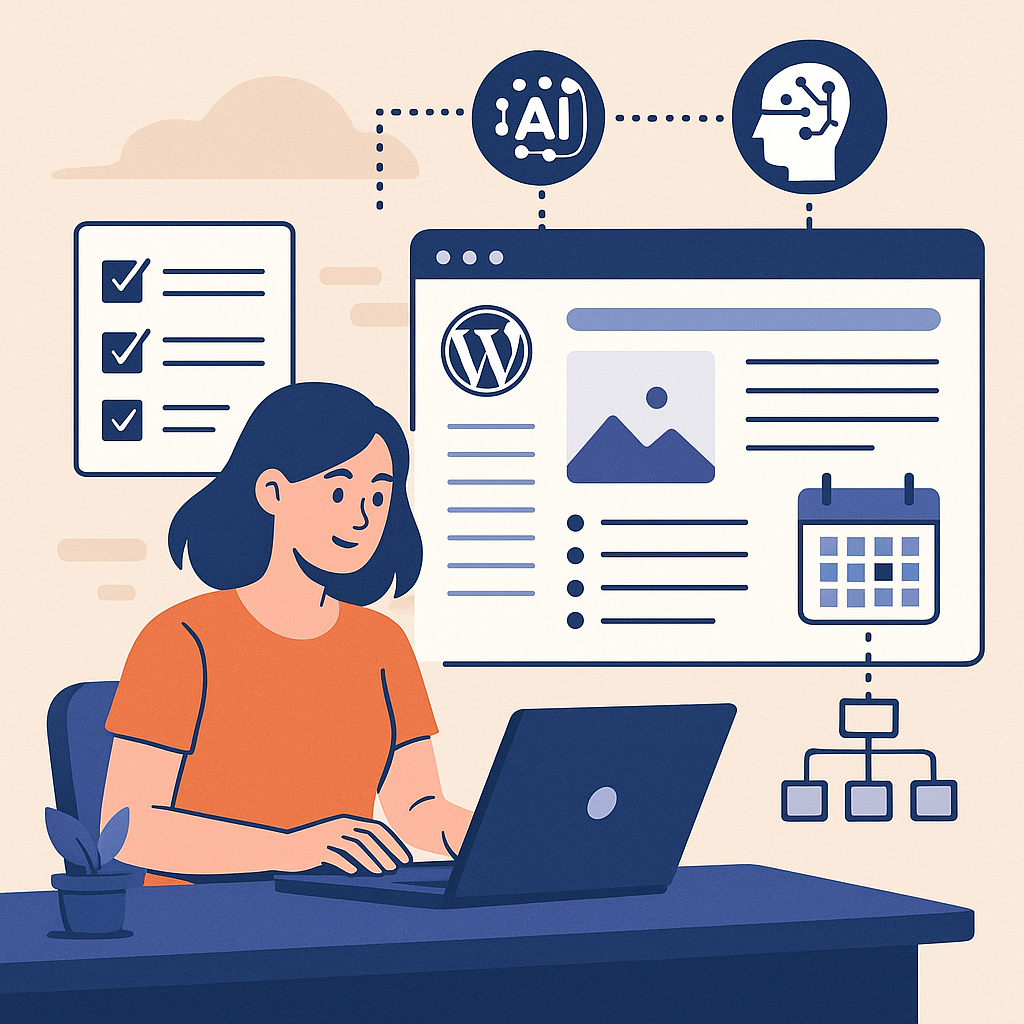
AI content automation integrates artificial intelligence tools directly into your WordPress workflow to generate, curate, or optimize content with minimal manual input. Instead of treating automation as a shortcut, it acts as a strategic accelerator—freeing up resources while maintaining editorial standards.
Typically, AI-driven plugins or external APIs analyze your content needs, generate drafts, and even suggest SEO improvements before publishing. This seamless integration helps you maintain a consistent publishing cadence without sacrificing relevance or quality.
Setting Up Automated Publishing Workflows: Step-by-Step
1. Choose the Right AI Plugin or Service
Start by selecting a reputable AI content plugin compatible with WordPress. Popular options include tools that leverage GPT models or specialized content generators, ensuring they support editorial oversight.
2. Configure Content Generation Parameters
Define the scope of automation: topic categories, tone, length, and style. Most plugins allow you to set these parameters to align AI output with your brand voice.
3. Establish Editorial Review Points
Insert manual review steps before publication to edit AI drafts, enhancing accuracy and preventing generic or irrelevant content.
4. Automate Publishing via Scheduling Tools
Use WordPress’s built-in scheduling or integrate with workflow automation plugins like AutomatorWP to trigger posts based on time, events, or content readiness.
Scheduling and Rotating Topics for Balanced Coverage
Implement a content calendar that segments your key topics into rotation cycles. For example, if you cover 5 main niches, schedule AI-generated posts to cycle through each niche weekly or biweekly. This avoids content saturation on one topic and keeps your audience engaged.
Leverage tools like Editorial Calendar or CoSchedule to visualize and adjust your publishing rhythm. Use AI to generate topic ideas ahead of time, ensuring a steady pipeline of fresh content.
Maintaining Quality and Preventing Spammy Output
Automated content risks becoming repetitive or shallow if unchecked. Mitigate this by:
- Human Editing: Always review AI drafts to add context, personalize insights, and ensure factual accuracy.
- Custom Prompts: Tailor AI prompts with detailed instructions to avoid generic responses.
- Plagiarism Checks: Use tools like Copyscape to confirm originality.
- Feedback Loops: Continuously refine AI outputs based on performance data and reader feedback.
SEO Considerations When Automating Content
AI can significantly aid SEO, but automation must align with search engine guidelines:
- Keyword Integration: Embed relevant keywords naturally within AI-generated content.
- Meta Descriptions & Titles: Use AI to draft but customize manually for maximum impact.
- Schema Markup: Automate structured data insertion for better indexing.
- Content Depth: Ensure AI content adds real value rather than thin, filler text.
Regularly audit your site’s SEO health using tools like Google Search Console to detect and fix issues early.
Internal Linking and Content Clustering Strategies
Content automation can facilitate effective internal linking and topic clusters:
- Topic Clusters: Organize posts around pillar pages and related subtopics. Use AI to identify related content and suggest relevant internal links.
- Automated Link Suggestions: Some plugins can propose or insert internal links based on keyword relevance.
- Consistent Anchor Text: Maintain clear, descriptive anchor texts to improve crawlability and user experience.
Implementing these strategies helps boost your site’s topical authority and improves SEO performance.
Common Pitfalls in AI Content Automation and How to Avoid Penalties
- Overreliance on AI: Avoid publishing AI content without human oversight to prevent low-quality or inaccurate posts.
- Keyword Stuffing: Resist the temptation to overload text with keywords; let AI generate natural language.
- Duplicate Content: Regularly check for duplicated AI outputs across your site.
- Ignoring Updates: Stay informed about search engine algorithm changes regarding AI content to adjust strategies proactively.
By addressing these issues, you reduce the risk of search engine penalties and maintain audience trust.
Use Cases: Tailoring AI Automation for Different WordPress Users
Bloggers
Use AI to generate first drafts or idea prompts, speeding up content creation while maintaining personal voice through editing.
Affiliate Marketers
Automate product review templates and comparison posts with AI, ensuring consistent publishing for SEO and conversion optimization.
Digital Agencies
Manage multiple client blogs by setting up AI workflows that scale content production while incorporating client-specific guidelines.
SaaS Websites
Automate knowledge base articles and feature updates, keeping documentation up-to-date without overburdening your team.
Implementation Checklist for AI Content Automation Success
- ✔ Select an AI tool/plugin aligned with your site’s needs and editorial standards.
- ✔ Define clear content generation guidelines and quality benchmarks.
- ✔ Create a content calendar with topic rotation to diversify output.
- ✔ Set up automated scheduling and editorial review checkpoints.
- ✔ Incorporate SEO best practices into AI workflows.
- ✔ Implement internal linking and content clustering strategies.
- ✔ Regularly audit AI content quality and SEO performance.
- ✔ Stay informed on search engine policies related to AI content.
- ✔ Adapt workflows based on analytics and user feedback.
By following these steps, WordPress site owners and marketers can leverage AI not as a shortcut, but as a strategic tool for scalable, sustainable content growth.